

Author: C.J.

How to scan with the Epson Workforce 615 scanner

How to scan with the Epson Workforce 615 scanner Put document you want to scan into the ADF or on lift the lid and put it on the glass flatbed. NOTE: Pictures should only go on the flatbed Double click the Epson scan icon on the desktop   Make sure the Mode: is set to…
Read more
Remote Support – Exchange email setup

Removed old exchange account in outlook email profile exchange. Setup new backup profile Intermedia exchange. Setup current exchange profile to login to new exchange server. Changed Nancy’s password. Setup exchange calendar sharing in outlook. Remote support- Internet provider was blocking port 25 and 1025. Troubleshooting of sending mail (smtp) issues. Changed smtp port to 465…
Read more

Verizon FIOS Router default password

Verizon FIOS Router default password default username : admin default password : password

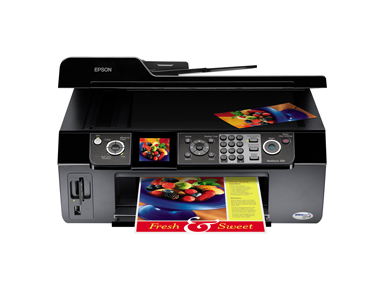
Epson Workforce 500 scanner

Epson Workforce 500 scanner – how to scan

How to scan with the Epson Workforce 500 scanner Step-by-step instructions on how to scan with the Epson Workforce 500 scanner Put document you want to scan into the ADF or lift the lid and put it on the glass flatbed. Pictures should only go on the flatbed Double click the Epson scan icon on…
Read more

ftp connections keep dropping

ftp connections keep dropping Try disabling passive mode (PASV) connections in your FTP program.

hp 4550 not printing color with windows vista x64

hp 4550 not printing color with windows vista x64 When to the Printers icon in control panel. Opened printer properties and selected device settings tab.  At bottom set device type from auto detect to color.